One number you can follow
Reading teachers measure fluency this way: a child reads a text aloud for one minute, and they count the words read correctly. LectoCoach gives you that number after every reading, in each language.
Your child picks a short story at their level and reads it into the microphone. LectoCoach highlights the hard words, reads any of them aloud on a tap, and draws a progress chart for each language. French and German are there too.
Sign in with your email. No password. Audio is never kept.
Tutor, tutoring centre or Arabic school? See the tutor space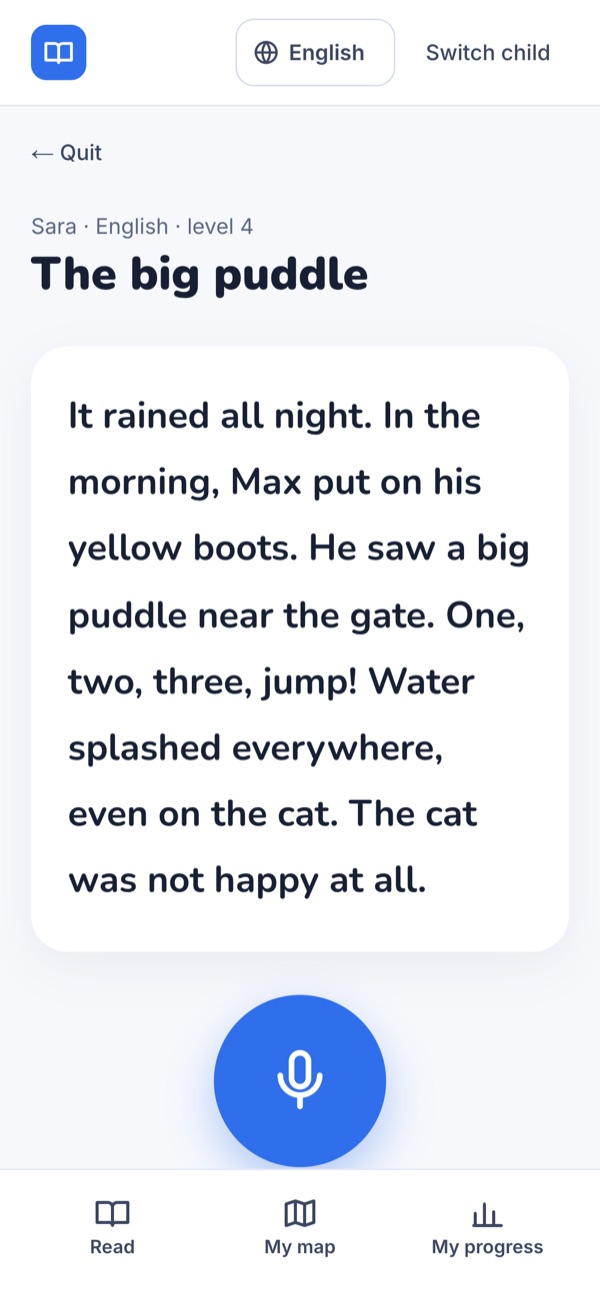
We email you a sign-in link. Add your child's first name and age, and LectoCoach picks their starting level.
They choose one of three stories at their level, in the language you pick, and tap the microphone.
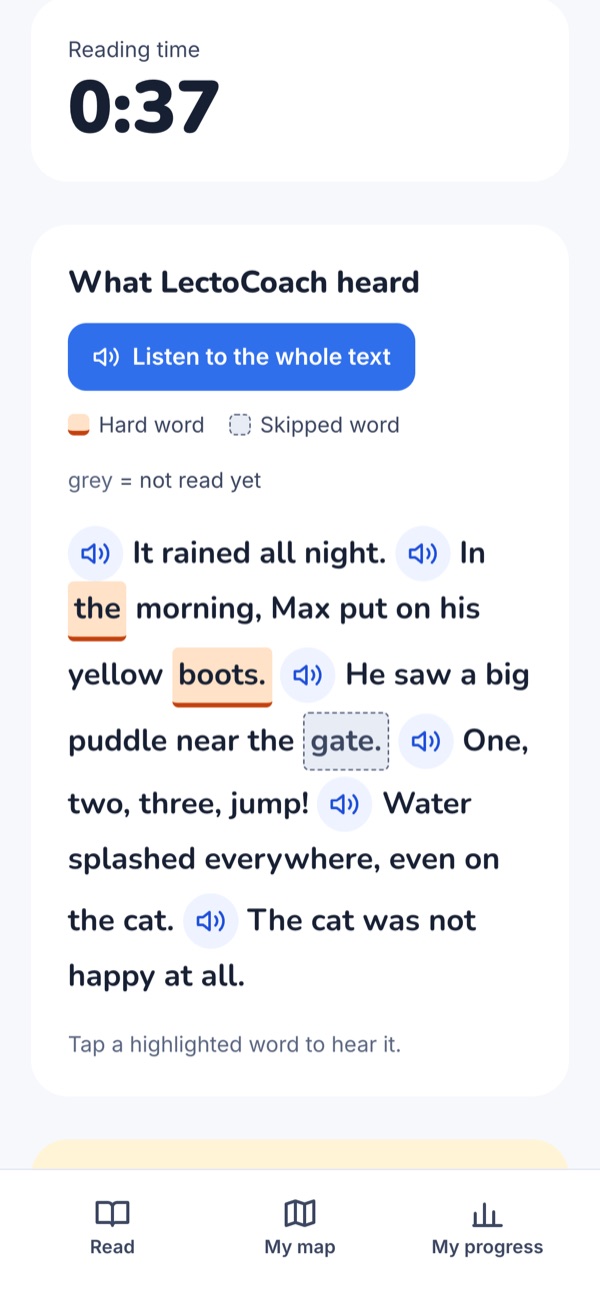
Misread and skipped words are highlighted. A tap plays the word. They can also hear one sentence, or the whole text.
Words read correctly per minute, accuracy, words to review, and a chart for each language, on the “My progress” screen.
Reading teachers measure fluency this way: a child reads a text aloud for one minute, and they count the words read correctly. LectoCoach gives you that number after every reading, in each language.
After each reading, LectoCoach keeps the words your child stumbled on. You know exactly what to practise together.
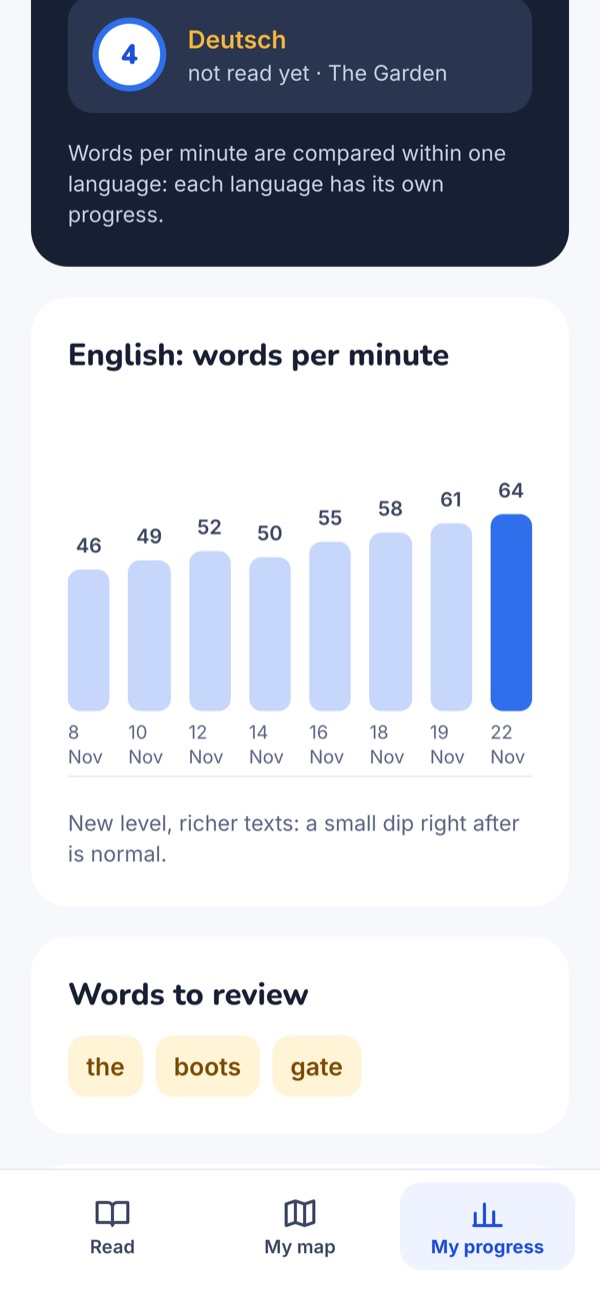
The Garden, The Forest, The River, The Mountain, The Stars: five regions of four levels each. Three great readings move them up a level. If the texts get too hard, LectoCoach steps down one level with shorter stories, and tells them they'll be back up soon.
They tap a highlighted word and hear it. They can replay a sentence or the whole story.
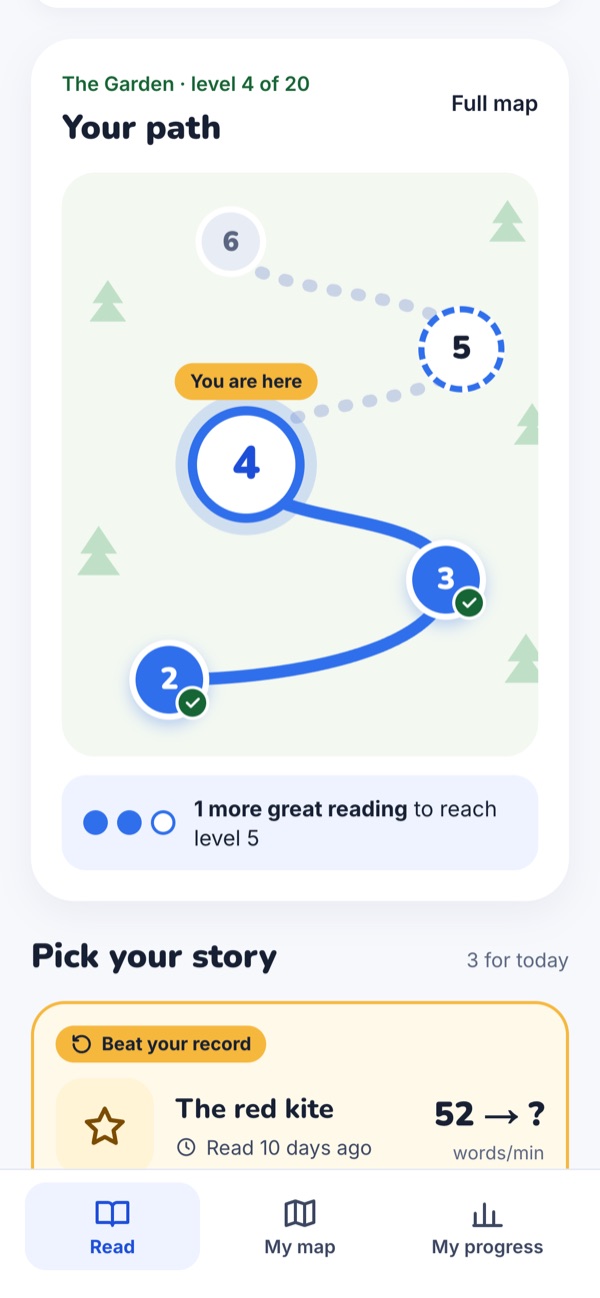
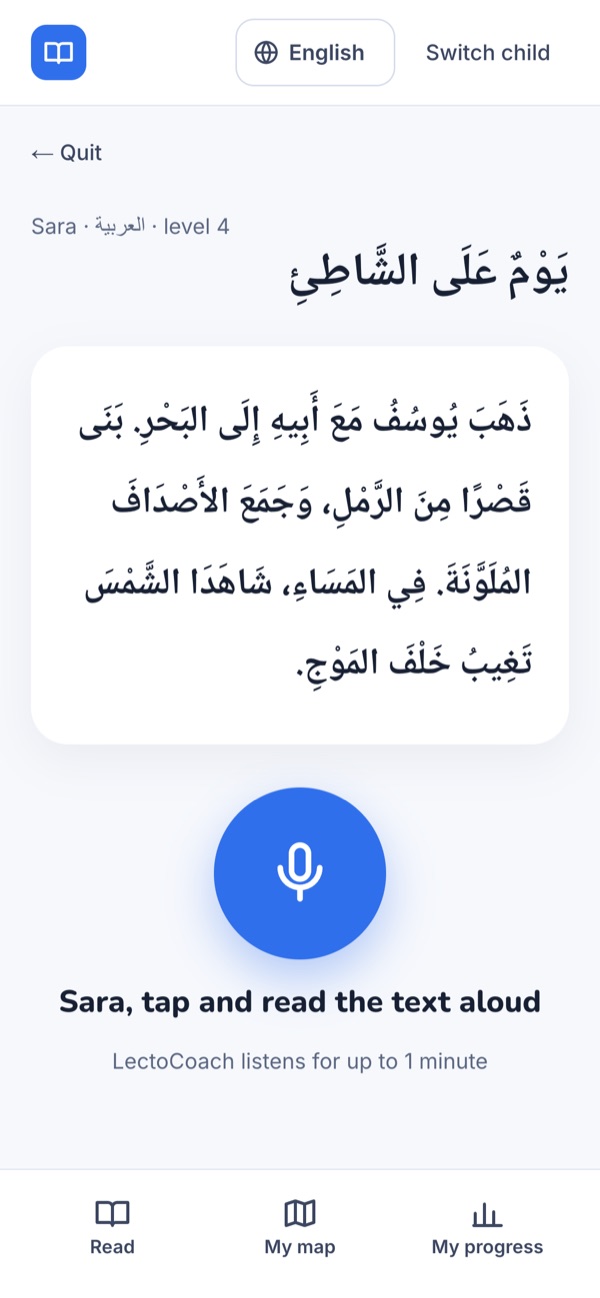
English, Arabic, French and German, each with its own level and its own chart. Arabic reads right to left, and a missed vowel mark never counts as a mistake. LectoCoach itself speaks English, Arabic or French: it follows your browser's language, and you can switch from the menu.
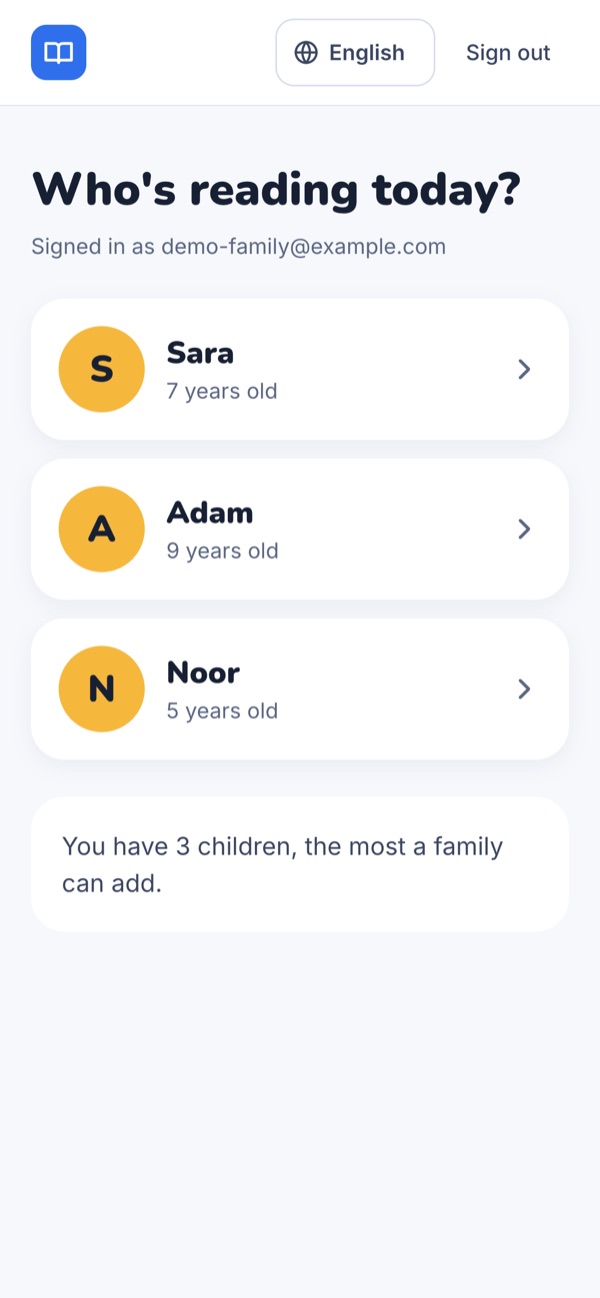
Each child has their own first name, level and chart. After you sign in, you pick who reads today.
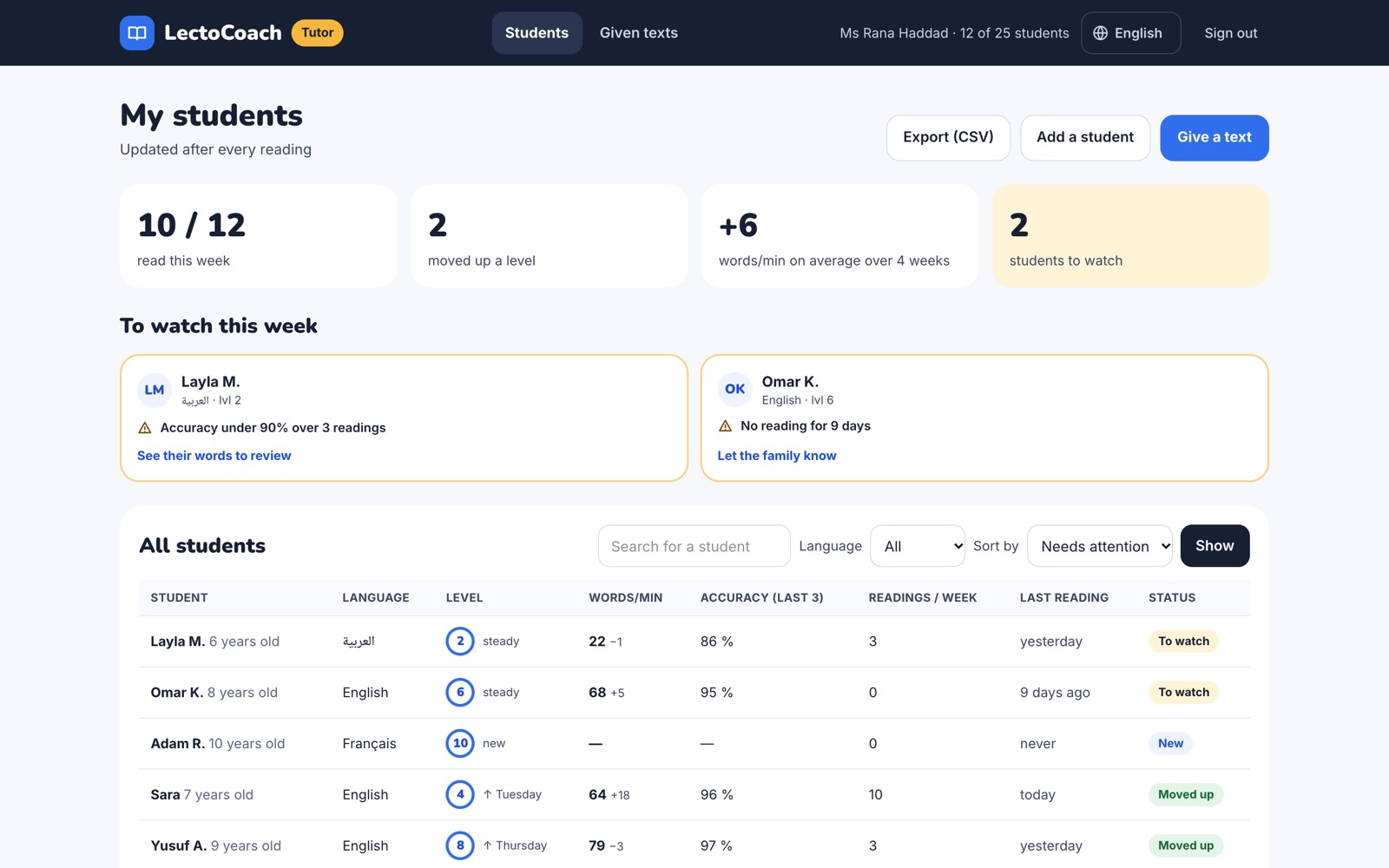
Parents ask whether lessons are working. With LectoCoach, every student's readings land in one dashboard, sorted so the students who need attention come first.
LectoCoach is free while in early access. The prices below apply once payments open, and we will tell you by email before anything is charged.
After early access, both plans start with a 7-day free trial.
Read Along is a good free app, and it has had Arabic stories since 2020. LectoCoach is built around one question for parents: is my child's reading moving? After every reading you see their words read correctly per minute, a chart for each language and the words to review. A tutor who follows your child sees the same numbers. Start with a first reading and compare for yourself.
One reading takes up to a minute. Your child reads a story aloud, then listens to the hard words. There are no videos and no ads. Three minutes a day is what we suggest, and you can sit next to them while they read.
The recording is sent to a speech-to-text service to write down what your child read, and LectoCoach then discards it. LectoCoach never keeps the audio. We keep the transcript, the score and the words to review. For your child, we ask only a first name and an age. For you, only your email, and you confirm you are the child's parent or guardian.
A tutor's home link opens one student's readings on any device that has it. Tutors should share it only with that family.
Children aged 5 to 11. The starting level comes from their age: a 5-year-old starts at level 1, a 7-year-old at level 4, an 11-year-old at level 12. After that, the level adjusts after every reading. LectoCoach is for practice and measurement, and it is not a diagnostic tool. If you are worried about a reading difficulty, talk to your child's teacher or a specialist.
Yes. Pick the reading language before each story. Each language has its own level and its own chart, because words per minute can only be compared within one language. Arabic stories are in Modern Standard Arabic and read right to left. LectoCoach checks each word. It does not mark short vowels or case endings, so a missed vowel mark is never counted as a mistake. French and German are also available.
Enter your email, and we send you a sign-in link. There is no password. Then choose which child is reading, or add one. You stay signed in on that device for 90 days. A child who reads through a tutor's home link doesn't need to sign in.
LectoCoach is free during early access. You will never be charged without being told first.
No. LectoCoach runs in the browser on a tablet, computer or phone with a microphone.
Reading teachers measure fluency by listening to a child read a text they haven't practised for one minute and counting the words read correctly. In English, published norms give typical scores by grade. In Arabic, researchers note that no agreed standards exist yet. So LectoCoach compares each reading with your child's own earlier readings: the same measure every week, in each language.
Your child reads a first story. You see their words per minute and the words to review. No card needed.
Start a first readingTutor or school? Create your tutor space